UKVI eVisa Account Creation Guide
How to Create a UKVI eVisa Account in Kenya
The UK introduced a fully digital immigration system in 2025. When your visa is approved, you will usually receive an eVisa, which is an online record of your immigration status. You can access it through your UK Visas and Immigration (UKVI) account, where you can view your permission to enter or stay in the UK and any visa conditions.
An eVisa is secure, cannot be lost or stolen, and removes the need to collect a physical document after your visa decision. It also makes it faster and easier to prove your immigration status when travelling to the UK or when dealing with universities, employers, or landlords.
If you have been granted a UK visa that is issued digitally, you must create a UK Visas and Immigration (UKVI) account to access your eVisa. Your eVisa is an online record of your immigration status and is used to prove your right to travel to and stay in the United Kingdom.
What Is a UKVI Account?
A UKVI account is an online account that securely stores your digital immigration status. Once your account is created, you can:
- View your UK eVisa anytime.
- Prove your immigration status using a secure share code.
- Update your passport or travel document details.
- Change your contact information.
- Check your visa conditions and expiry date.
- Allow employers, landlords, universities, or government departments to verify your immigration status when required.
Your UKVI account is linked to your passport and personal information, making it easier to travel and prove your immigration status without carrying a physical visa document.
Who Needs a UKVI Account?
You may need to create a UKVI account if you:
- Have been granted a UK visa that is issued as an eVisa.
- Previously held a Biometric Residence Permit (BRP).
- Have permission to live, work, or study in the UK.
- Need to access your immigration status online.
If you already have a UKVI account, you do not need to create another one.
Before creating your UKVI account, ensure you have:
- A valid passport or travel document.
- The identity document used in your UK visa application.
- A working email address.
- A mobile phone number.
- A smartphone capable of downloading the UK Immigration: ID Check app.
- A stable internet connection.
Accessing my eVisa
To access your eVisa, follow these three steps:
Confirm your identity and submit the online form.
Use the UK Immigration: ID Check app to verify your details.
- Sign in to your UKVI account to view your eVisa
You will need a smartphone or laptop, your BRP, and access to the UK Immigration: ID Check app to complete the process.
Steps to Create Your UKVI Account:
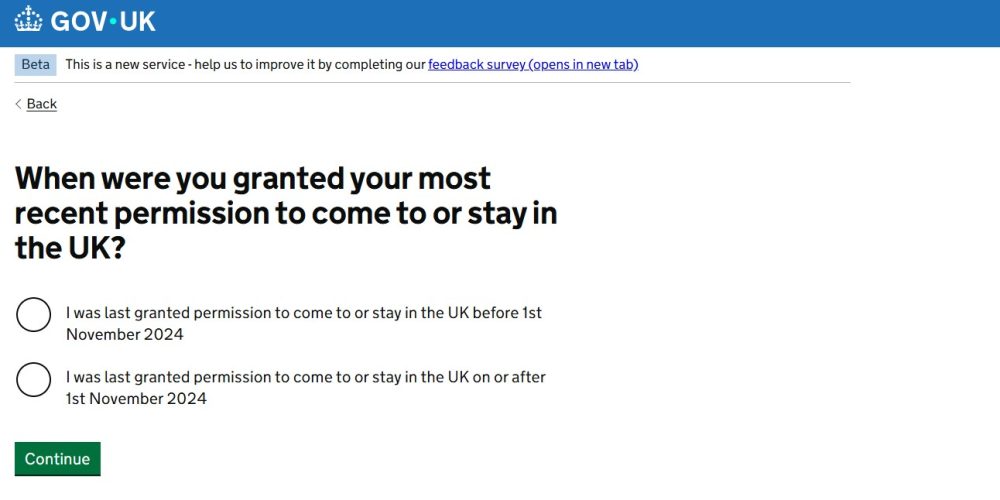
Step 1: Visit the Official UKVI Website
To access your eVisa, you must first create a UKVI account.
You will need to provide the following details:
Your name
Date of birth
Email address
Mobile phone number
An identity document (it is recommended to use your Passport or BRP card)
- Your Visa Application number (GWF or UAN)
Make sure all information is correct when creating the account, especially your Passport number and expiry date.
You can also use this service to access:
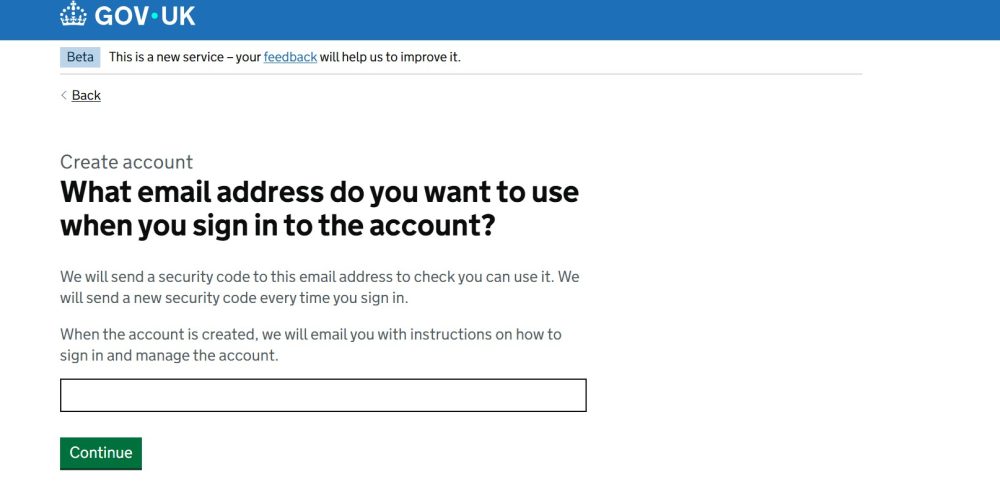
Step 2: Verify Your Contact Details
Enter the verification codes sent to your email address and phone number.
This confirms your identity and activates your account.
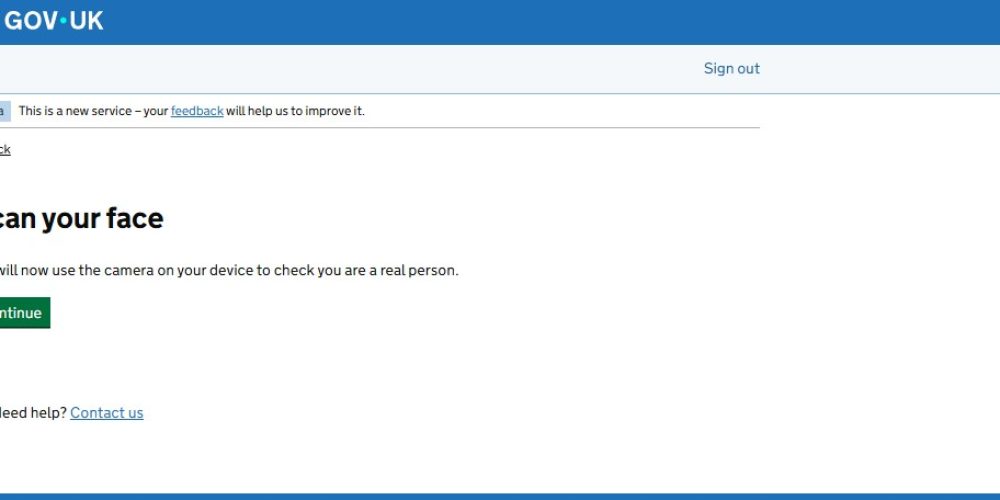
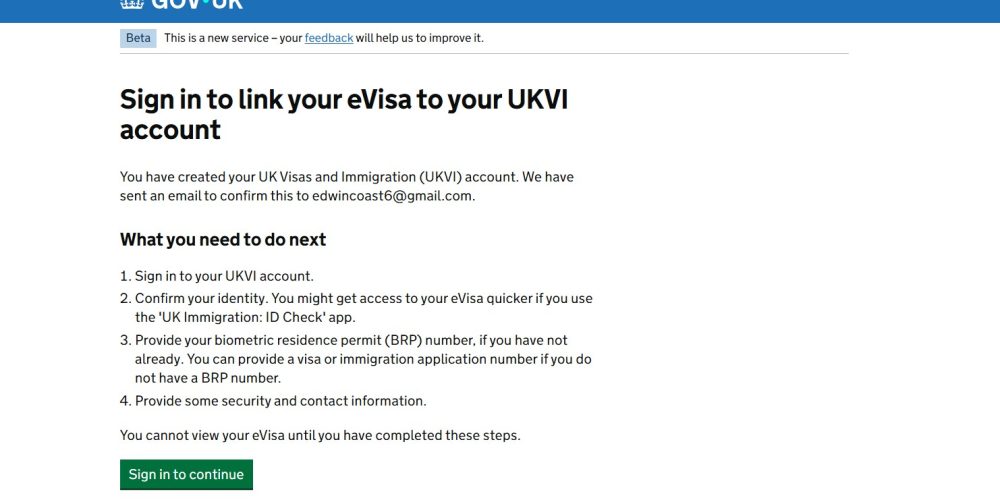
Step 3: Verify Your Identity
To complete your UKVI account registration, you must verify your identity.
Greentod Visas & Travel Solutions strongly recommends using the UK Immigration: ID Check app, as it is the fastest and most convenient way to verify your identity. Digital verification is usually processed more quickly than the manual alternative, helping you access your eVisa sooner.
Using the app, you will:
- Scan your passport or identity document.
- Read the biometric chip.
- Complete a facial recognition check.
- Securely submit your identity to UKVI.
If you are unable to use the app, UKVI offers a manual identity verification process. This option may involve additional checks and generally takes longer than verification through the app.
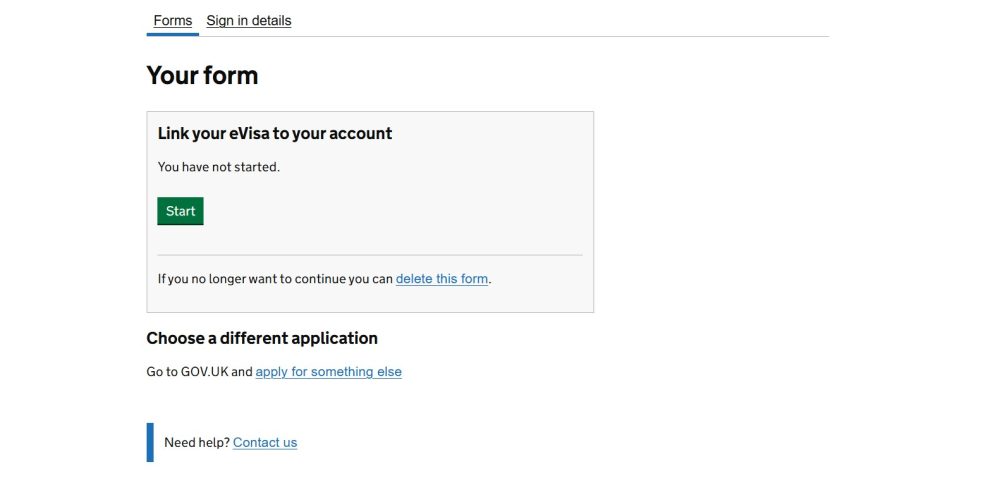
Step 4: Link Your eVisa
After your identity has been successfully verified, your immigration status will automatically be linked to your UKVI account.
Once the linking process is complete, you can:
- Sign in securely to your UKVI account.
- View your eVisa.
- Confirm your immigration status.
- Check the validity and conditions of your permission to remain in the UK.
Please note: Although your identity may be verified immediately, it can take up to 24 hours for your eVisa to appear in your UKVI account after successful linking. If your eVisa is not visible straight away, wait for up to 24 hours before contacting UK Visas and Immigration (UKVI) support.
Step 5: Access Your eVisa
Once your UKVI account is active and your eVisa has been successfully linked, you will receive a confirmation email from UKVI) at the email address you used to create your account. This email confirms that your eVisa has been successfully linked and is available to access online.
After receiving the confirmation, you can sign in to your UKVI account at any time to:
- View your digital immigration status (eVisa).
- Generate a share code for employers, landlords, educational institutions, or other organisations that need to verify your immigration status.
- Update your passport or travel document details after renewal or replacement.
- Change your registered email address or mobile phone number.
- Check your visa validity, conditions, and expiry date.
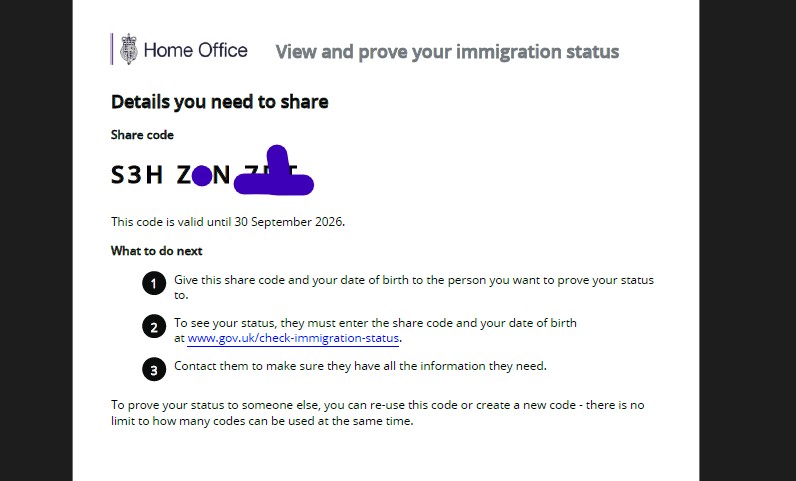
What is a Share Code
A share code is a temporary code generated through your UKVI account.
It allows organisations to verify your immigration status without accessing your personal account.
You may be asked to provide a share code when:
- Starting a new job.
- Renting accommodation.
- Enrolling at a university.
- Checking in with an airline before travelling to the UK, where verification of your immigration status is required.
- Proving your immigration status to government agencies.
Share codes are valid for 90 days (approximately three months) from the date they are generated. After they expire, they can no longer be used to verify your immigration status. If your share code has expired, simply sign in to your UKVI account and generate a new one at any time.